
Download Caato Time Tracker – simple, secure time‑tracking app for Windows, Mac, Android & iOS
Overview
Caato Time Tracker+ is a lightweight yet powerful time‑tracking application designed for freelancers, agencies, and anyone who wants to keep an eye on how their day unfolds. The app blends intuitive design with robust functionality, allowing users to start, pause, and stop timers with a single click while automatically logging activity to projects, tasks, or custom categories. Whether you bill clients by the hour, need to monitor employee productivity, or simply wish to understand personal work habits, Caato provides a clear visual snapshot of where every minute goes.
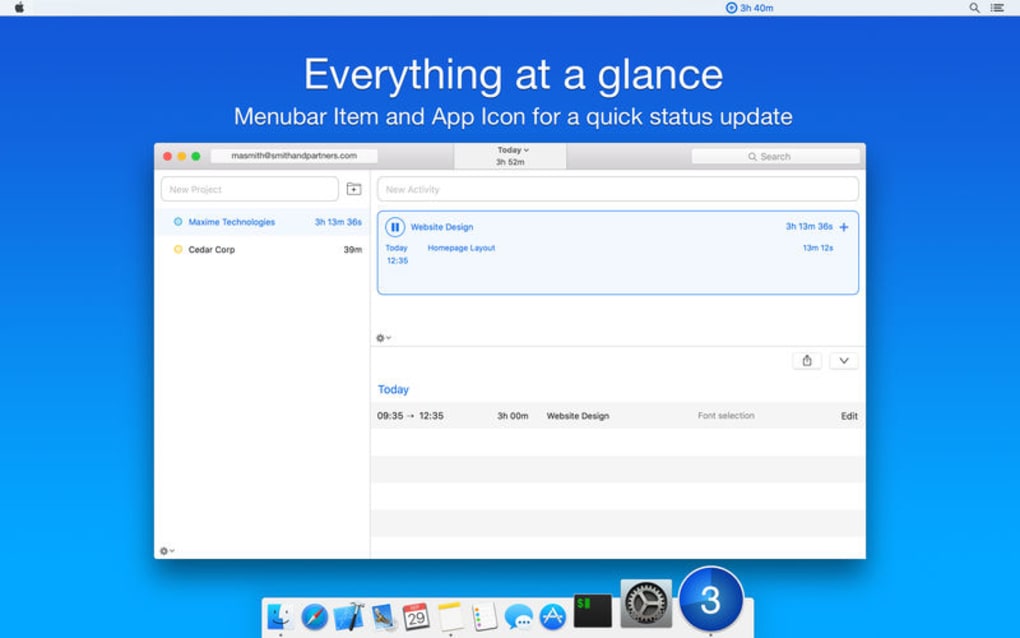
Its menu‑bar icon delivers instant feedback, showing the current timer and total time spent without forcing you to open a full dashboard. The app also offers organized folders and project hierarchies, so you can segment data for easy reporting and analysis. Built with privacy in mind, all data is stored locally unless you choose to export or sync, making Caato a secure solution for confidential work.
Regular updates bring new templates, improved export formats, and smoother integration with popular invoicing tools, ensuring the software stays relevant as your workflow evolves. In short, Caato Time Tracker+ removes the friction of manual time‑keeping, letting you focus on delivering results while it quietly records every second of effort.
Key Features
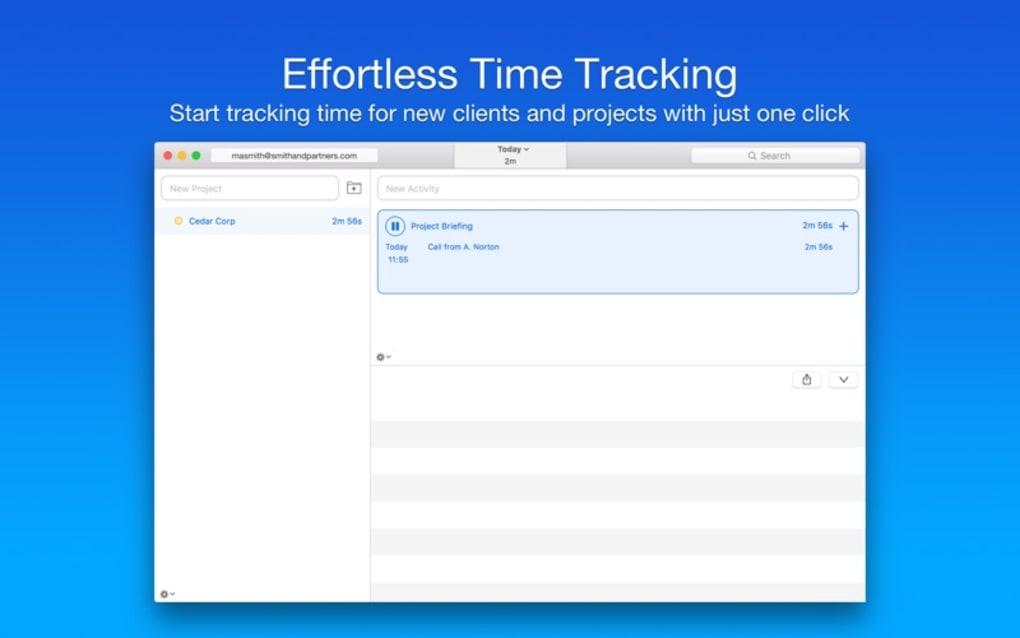
- One‑click timers: Start, pause, and stop timers instantly from the menu bar or main window.
- Project & folder hierarchy: Organize work into projects, sub‑projects, and folders for clean reporting.
- Real‑time dashboard: Visual charts display daily, weekly, and monthly time distribution.
- Export options: CSV, PDF, and JSON exports enable seamless invoicing and data analysis.
- Offline‑first storage: All records are saved locally, guaranteeing privacy and access without an internet connection.
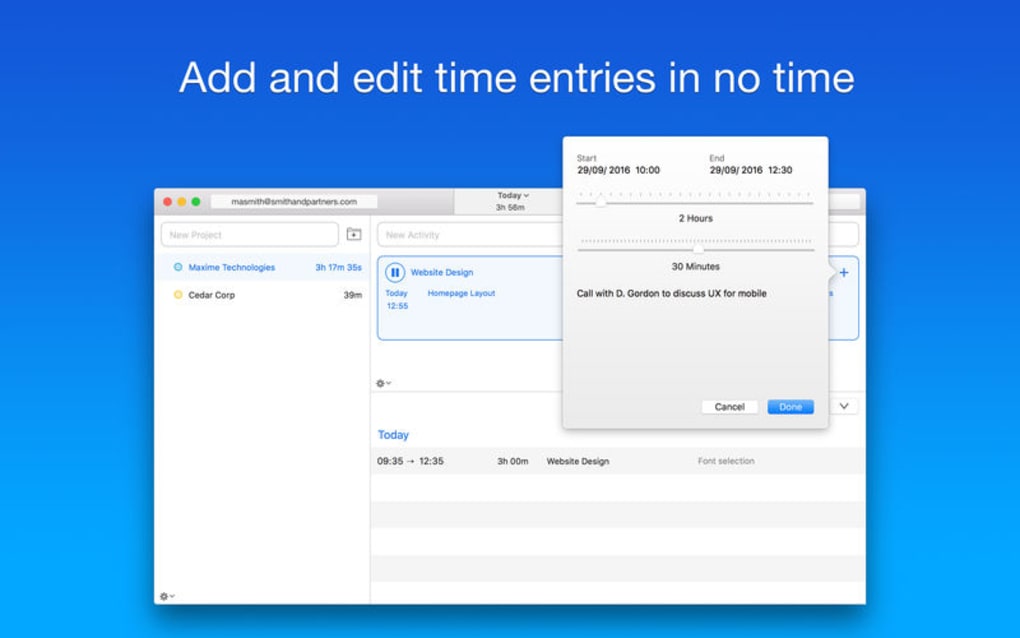
- Custom tags & notes: Add contextual information to each time entry for detailed client billing.
- Multi‑platform support: Native apps for Windows, macOS, Android, and iOS keep your tracking consistent across devices.
- Notifications & reminders: Optional alerts help you stay on track and avoid forgotten time.
- Integrations: Simple CSV import/export works with QuickBooks, FreshBooks, and other invoicing platforms.
- Dark mode & accessibility: High‑contrast UI options for comfortable long‑hour usage.
Installation, Usage & Compatibility
Getting Caato Time Tracker+ up and running is straightforward. Visit the official website, click the Download button that matches your operating system, and follow the on‑screen installer prompts. Windows users receive an .exe package, macOS users a signed .dmg, while Android and iOS devices can install the app directly from Google Play or the App Store.
After installation, launch Caato and create your first project. The onboarding wizard walks you through naming the project, assigning a client, and setting hourly rates if you intend to bill later. Once set, click the timer icon in the menu bar to begin tracking. You can switch between projects without stopping the current timer—Caato automatically logs the split time for accurate reporting.
All data is stored locally, but you can back up your logs by exporting them to CSV or JSON. The export feature is useful for integrating with accounting software or for creating custom invoices. If you prefer cloud sync, Caato supports manual upload to your preferred storage service (e.g., Dropbox or Google Drive) via the Export & Sync menu.
Compatibility details (itemprop="operatingSystem"):
- Windows 10, 11 (64‑bit)
- macOS 12 Monterey and later
- Android 8.0+ (ARM & x86)
- iOS 13+ (iPhone & iPad)
Because the app runs natively on each platform, performance remains smooth even on older hardware. System requirements are modest: a minimum of 2 GB RAM and 150 MB of free disk space. Updates are delivered automatically when you launch the app with an internet connection, ensuring you always have the latest security patches and feature enhancements.
Pros, Cons & Frequently Asked Questions
Pros
- Intuitive one‑click timer saves time.
- Robust project organization reduces reporting headaches.
- Offline‑first design protects sensitive data.
- Cross‑platform support keeps tracking consistent.
- Free basic version with optional paid upgrades for advanced features.
Cons
- Lacks built‑in automatic cloud sync (requires manual export).
- Advanced reporting dashboards are only in the paid tier.
- No native integration with popular project‑management tools (e.g., Asana, Trello).
FAQ – Your Caato Time Tracker+ Questions Answered
Can I track multiple projects at the same time?
Caato allows you to pause one timer and start another, automatically recording the split time. This ensures each project receives accurate billing without manual adjustments.
Is my data encrypted?
All local files are stored in an encrypted SQLite database. While Caato does not offer built‑in cloud encryption, you can secure exported backups with third‑party encryption tools.
Can I export time logs for invoicing?
Yes. Caato supports CSV, PDF, and JSON exports. These formats are compatible with QuickBooks, FreshBooks, and most custom invoice templates.
Does Caato work on tablets?
The iOS version is optimized for both iPhone and iPad, while the Android build runs on tablets that meet the minimum OS version.
Is there a free trial for the premium features?
A 14‑day free trial unlocks all premium tools, including advanced reporting and custom export templates. No credit card is required to start the trial.
Conclusion & Call to Action
Overall, Caato Time Tracker+ delivers a clean, secure, and cross‑platform solution for anyone serious about measuring productivity. Its straightforward UI, robust project hierarchy, and flexible export options make it a strong contender against pricier enterprise tools. While power users may miss native integrations and automatic cloud sync, the app’s offline‑first approach and privacy‑focused design compensate with reliability and peace of mind. If you’re looking for a free, easy‑to‑use time‑tracking app that scales from solo freelancers to small teams, Caato is worth a download. Start tracking your time today—click the download button, install the app on your preferred device, and take the first step toward smarter work management.







